GTA 2 cheats
Display coordinates (PlayStation)
Updated November 22, 2026
GTA Archive › GTA 2 › GTA 2 cheats › Display coordinates (PlayStation)
Cheat code
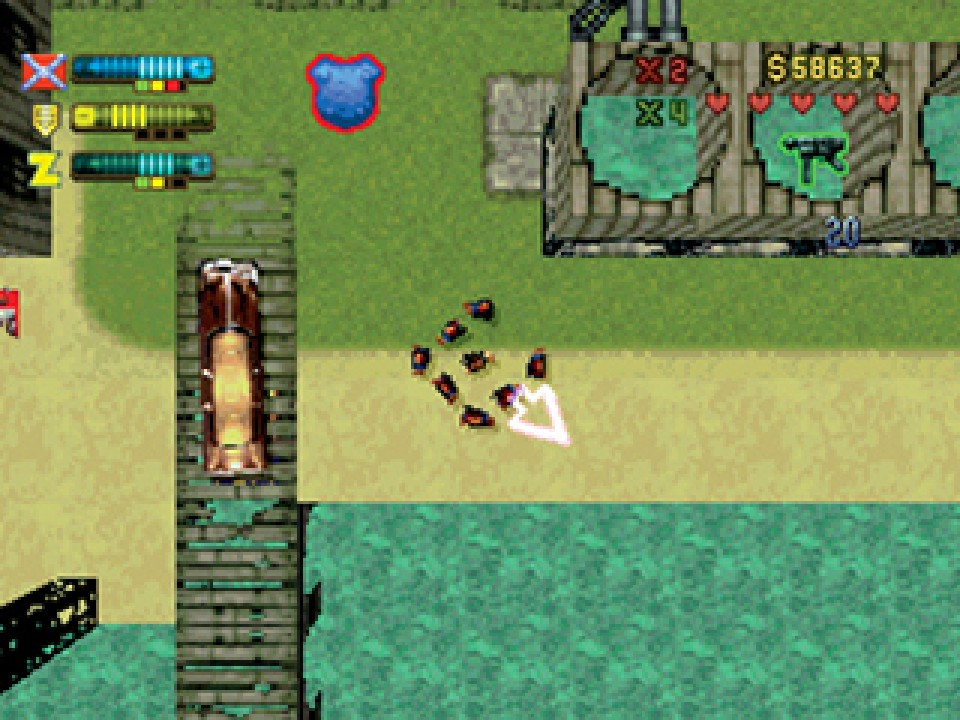
WUGGLES is a PlayStation debug cheat in GTA 2 that shows Claude's position on the map as numbers.
At a glance
| Code | WUGGLES |
| Platform | PlayStation |
| Effect | Display coordinates |
| Category | Debug |
| How to enter | Typed as the player name |
| Note | Enter as player name |
What we know
WUGGLES is a developer aid. It shows Claude's position on the map as numerical coordinates on the screen, a leftover from the tools the developers used while building the game.
On PlayStation the code is entered as the player name. Type WUGGLES exactly as written, with no spaces, and start the game.
For normal play it has little value. The numbers do not help with jobs, respect or money, and they add clutter to the screen. Its main use is for people documenting the game, such as those mapping token locations, gang phones or landmarks like Mad Island and the Vedic Temple, where a precise position is easier to share than a description.
Debug codes like this are a reminder of how the game was built. Many games of the era kept developer tools reachable by code, and GTA 2 has more than one, including NOFRILLS. Later GTA titles generally removed or hid such tools, so coordinates displays mostly survive today in player-made utilities rather than official cheats.
Step by step
- Go to the player name screen.
- Enter WUGGLES with no spaces.
- Start the game.
Tips
- Use a separate player name so your normal save is left alone.
- Note coordinates when recording hidden token spots.
Quick answers
What does WUGGLES do in GTA 2?
It displays Claude's map coordinates on PlayStation.
Is WUGGLES useful for playing?
Not really. It is a developer and documentation aid.
More from GTA 2 cheats
- Debug basic scripts (PlayStation)
- Enables cheat entry (PC)
- Invincibility (PC)
- 99 lives (PC)
- Invisibility (PC)
- Unlimited double damage (PC)
- Keep weapons after death (PC)
- Unlimited get out of jail free cards (PC)
- Invincibility (PlayStation)
- All weapons with maximum ammo (PC)
- Basic weapons with maximum ammo (PC)
- ElectroGun with infinite ammo (PC)
- Flamethrower with infinite ammo (PC)
- All weapons (PlayStation)
- 500,000 dollars (PC)
- 10,000,000 dollars (PC)
- Player gets points (PC)
- 10x multiplier (PC)
- Free shopping (PC)
- 5x multiplier (PlayStation)
- 10 million points (PlayStation)
- 500,000 dollars (PlayStation)
- Unlimited cash (PlayStation)
- No police (PC)
Sources: gta.wiki · Grand Theft Wiki · GameRevolution