GTA 2 cheats
No police (PlayStation)
Updated November 22, 2026
GTA Archive › GTA 2 › GTA 2 cheats › No police (PlayStation)
Cheat code
LOSEFEDS is also the PlayStation cheat for no police in GTA 2, entered as the player name.
At a glance
| Code | LOSEFEDS |
| Platform | PlayStation |
| Effect | No police |
| Category | Police |
| How to enter | Typed as the player name |
| Note | Enter as player name |
What we know
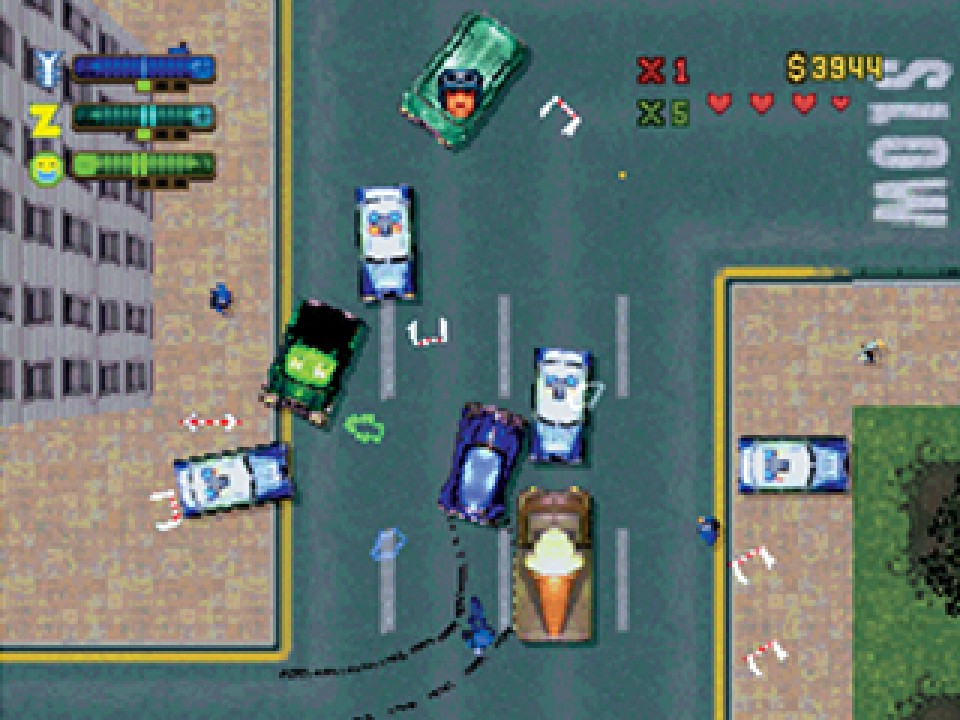
On PlayStation, LOSEFEDS works the same way as on PC. The police no longer chase Claude, whatever he does, so the wanted level meter of cop heads never fills and the escalation from patrol cars to tanks never begins.
Entry is simpler than on PC. Type LOSEFEDS exactly as written, with no spaces, as the player name, and start the game.
Removing the police changes how certain tools matter. Max Paynt resprays and Cop Bribe pickups exist mainly to shed a wanted level, so they lose most of their purpose. Gang respect is untouched, and enemy gangs remain the main threat, especially in Industrial, where the Russian Mafia and the Hare Krishna fight over turf.
It sits at one end of GTA 2's police codes, with DESIRES, which maxes out the wanted level, at the other. Later games kept wanted level cheats, from GTA III's codes to GTA V's lower and raise wanted level cheats, but they adjusted the level rather than shutting the police out.
Step by step
- Go to the player name screen.
- Enter LOSEFEDS with no spaces.
- Start the game.
Tips
- Use a separate player name so your normal save is left alone.
- Save money normally spent on resprays.
Quick answers
Is the no police cheat the same on PC and PlayStation?
Yes. Both use LOSEFEDS.
Do I still need Max Paynt with LOSEFEDS?
Only for repairs and new paint, since there is no wanted level to clear.
More from GTA 2 cheats
- Maximum wanted level (PlayStation)
- Maximum respect from all gangs (PC)
- More blood (PC)
- Only mugger pedestrians spawn (PC)
- All pedestrians naked (PC)
- Only Elvis pedestrians spawn (PC)
- All cars are mini cars (PC)
- Skip exploding scores (PC)
- Turbo mode (PlayStation)
- Unlock the three main levels (PC)
- Unlock all levels and bonus levels (PC)
- Level select (PlayStation)
- Display coordinates (PlayStation)
- Debug basic scripts (PlayStation)
- Enables cheat entry (PC)
- Invincibility (PC)
- 99 lives (PC)
- Invisibility (PC)
- Unlimited double damage (PC)
- Keep weapons after death (PC)
- Unlimited get out of jail free cards (PC)
- Invincibility (PlayStation)
- All weapons with maximum ammo (PC)
- Basic weapons with maximum ammo (PC)
Sources: gta.wiki · Grand Theft Wiki · GameRevolution