Set up your TV before GTA 6 launch night: HDR, Game Mode, 120Hz and the console settings that matter
Rockstar has not said whether GTA 6 supports 120Hz or VRR, but your TV and console settings matter either way. Rolo goes through what to switch on for PS5 and Xbox before November 19, in ten minutes, with no new hardware.
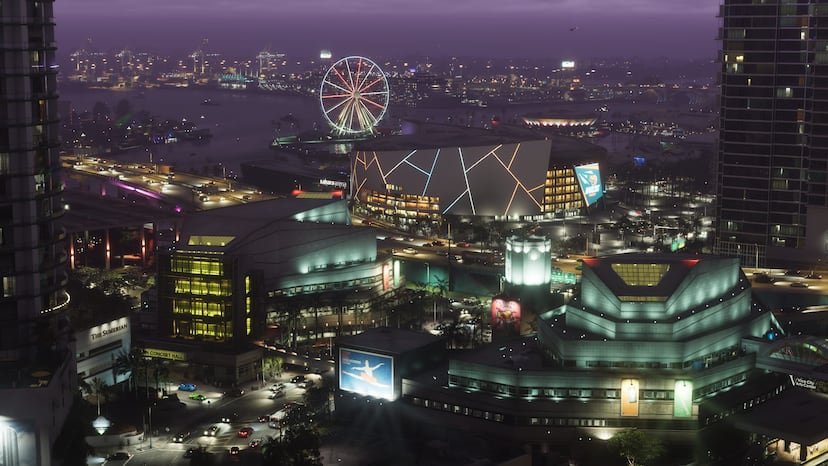
Short version first. Rockstar has not said whether GTA 6 runs at 120Hz, supports VRR, or has a performance mode on any console. I covered what is confirmed for each machine yesterday. But the screen you play on matters as much as the console, and most people have never opened the settings menu. Ten minutes this week means the game looks right the first time you boot it.
I'm Rolo. Same rule as my last piece: what is confirmed, I say so. What is general advice that works for any game, I say that too.
Step 1: the right HDMI port and cable
General advice. Not every HDMI port on a TV is the same. On most 4K TVs from the last few years, only one or two ports support the full HDMI 2.1 features, 4K at 120Hz and VRR. They are usually labelled 4K@120, HDMI 2.1, Game or eARC. Check the back of the TV or the manual.
Use the HDMI cable that came in the box with your PS5 or Xbox Series X|S. It is rated for the bandwidth. An old cable from a Blu-ray player can cap you at a lower signal without telling you.
Step 2: turn on the TV's full-bandwidth HDMI mode
General advice. Many TVs ship with their HDMI ports in a compatibility mode that limits HDR and colour. The setting has a different name on every brand:
- LG: HDMI Ultra HD Deep Colour
- Samsung: Input Signal Plus
- Sony: HDMI signal format set to Enhanced
- Hisense and TCL: often HDMI 2.1 or Enhanced format, under input settings
Turn it on for the port your console uses.
Step 3: Game Mode
General advice. Game Mode switches off most of the TV's motion smoothing and processing. That cuts input lag, the delay between pressing a button and seeing it happen. In a game with driving and shooting, you will feel the difference.
Most modern TVs switch into Game Mode on their own when the console asks. This is called ALLM, Auto Low Latency Mode. If yours does not, set it by hand. And turn off motion smoothing (TruMotion, Auto Motion Plus or MotionFlow, depending on the brand) if Game Mode leaves it on.
Step 4: console settings, PS5
Go to Settings > Screen and Video > Video Output.
- HDR: On When Supported.
- Adjust HDR: run it. Three screens, follow the prompts. It takes a minute and fixes washed-out or crushed pictures.
- VRR: Automatic, if your TV supports it.
- 120 Hz Output: Automatic.
These settings do nothing in a game that does not use them. GTA 6's support for 120Hz and VRR is not announced. Switching them on now just means you are ready if it is there.
Step 5: console settings, Xbox Series X|S
Go to Settings > General > TV & display options.
- Refresh rate: 120Hz, if your TV offers it.
- Video modes: tick Allow 4K, Allow HDR10, Allow variable refresh rate and Allow Auto Low-Latency Mode.
- Then run the HDR Game Calibration app from the same menu. It is the Xbox version of Adjust HDR.
Step 6: in the game itself
Not yet known. Rockstar has not shown GTA 6's display menu. Most recent Rockstar games have their own HDR brightness sliders, and some have a mode setting on consoles. My advice: leave the game's settings at default for the first hour. Look at a sunset in Vice City and a night in the Grassrivers. Only then change anything.
What not to buy
Do not buy a new TV for GTA 6 based on a frame rate nobody has announced. If your TV does 4K and HDR, you are set. If you have money to spend before launch, the storage upgrade in my console guide is the one that actually matters, because pre-load opens on November 12.
That is it. Ten minutes, no new kit, and the game looks the way Rockstar meant it to on day one.
Quick answers
Does GTA 6 support 120Hz or VRR?
Not announced. Rockstar has published no frame-rate or display-mode details for any console. Turning these on costs nothing and helps if support is there.
Should I use HDR for GTA 6?
If your TV supports HDR, yes. Calibrate it first with the console's own HDR tool (Adjust HDR on PS5, the HDR Game Calibration app on Xbox), then leave the game's own HDR settings at default until you have seen it.
What is Game Mode and should I turn it on?
Game Mode turns off most of your TV's picture processing to cut input lag. Turn it on. Most TVs switch to it automatically if ALLM is enabled.
Which HDMI port should I use for my console?
The one marked HDMI 2.1, 4K 120Hz or eARC/game, depending on your TV. On many TVs only one or two ports support the full bandwidth. Use the cable that came with the console.
Sources: Rockstar Games: Grand Theft Auto VI
More from SixStarsWanted
 Oct 22, 2026 · guide · By Bama
Red Dead Redemption 2 players, here is what to expect from GTA 6's back country, and what Rockstar has not shown yet
If you spent years in Lemoyne's bayou and Ambarino's hills, Leonida's swamps, cane fields and national park will feel like home. Bama lines up what Rockstar has confirmed against what Red Dead taught us, and marks every guess.
 Oct 22, 2026 · site news · By SixStarsWanted
Site update: the SixStarsWanted GTA 6 Database is live, with vehicles, weapons, radio and more
We opened the GTA 6 Database today: eight list pages for vehicles, weapons, radio, activities, missions, trophies, cheats and controls. Confirmed facts now, full lists from November 19.
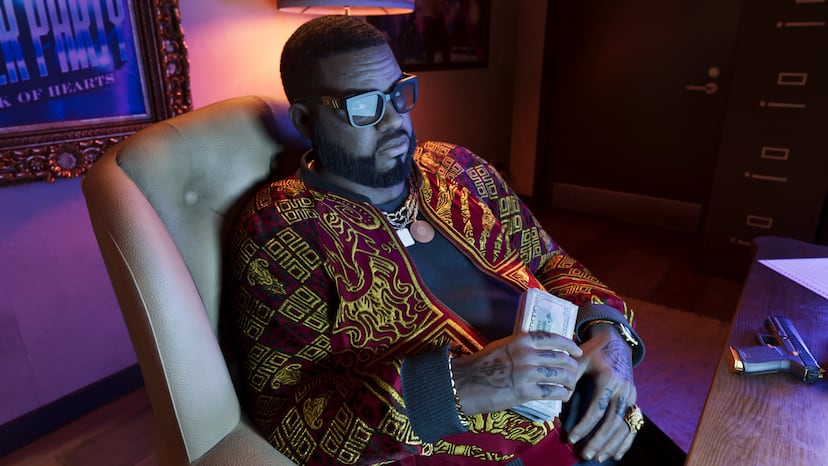 Oct 22, 2026 · guide · By Eve
Beyond Jason and Lucia: everyone else in GTA 6 Rockstar has introduced, and who I think matters most
Rockstar has named six supporting characters for GTA 6, from a paranoid best friend to a strip-club mogul and a rap duo. Eve goes through who each one is, how they connect to Jason and Lucia, and which of them the story will turn on.