GTA 6 has an adaptive score and six radio stations. Here is how to set up your console audio so you actually hear them
Rockstar says Justice's score changes with how you play, and the radio has at least six stations. Your console's default sound settings flatten most of that. Rolo goes through PS5 3D Audio, Xbox's headset formats, soundbar and receiver settings, and the three things to change before November 19, with what is confirmed and what is general advice.
Short version first. GTA 6 ships with a Justice score that Rockstar says is tuned to what you are doing, plus a radio with at least six stations, and most consoles are still sitting on the audio defaults they shipped with. Ten minutes in the settings menu fixes that. Nothing here needs new hardware, and none of it needs Rockstar to add anything on its side.
I'm Rolo. I do the hardware on this site. As always: Confirmed means Rockstar said it, General advice means it works for every game on the console, GTA 6 included.
What is confirmed about the sound
- The score adapts. Rockstar's Newswire post on October 29 calls it "an adaptive score, featuring expansive compositions all dynamically tuned to the different ways players engage with the world of Vice City and Leonida". That is the kind of music that gets lost through TV speakers, because the changes are often in the low end and in the width of the mix.
- The radio has at least six stations that Rockstar has previewed, with named hosts, and a separate 34-song album made for the game. Rockstar's own music page says classic rock and talk radio are coming too.
- Nothing about audio formats. Rockstar has not said whether GTA 6 has a 3D audio option, Dolby Atmos, or even a dynamic range setting. GTA V had none of those on launch. So everything below is the console doing the work, not the game.
PS5 and PS5 Pro: turn on 3D Audio (general advice)
Sony's Tempest 3D Audio works on any game, whether or not the game knows about it, and it works with any wired headphones plugged into the controller, or a USB or PlayStation Link headset.
- Settings, Sound, Audio Output. Set Output Device to the headset if you use one.
- Enable 3D Audio for headphones: on. Run Adjust 3D Audio Profile once; it plays a sound and asks which height matches your ears. Pick honestly, it changes the result.
- If you play through the TV, switch on 3D Audio for TV speakers instead and run the measurement; it uses the controller's microphone to listen to the room. It is a smaller effect than headphones but it is not nothing.
- Bluetooth headphones do not work here. The PS5 does not send game audio over Bluetooth at all. A cheap wired pair in the controller beats expensive Bluetooth ones every time.
PS5 Pro owners: the audio hardware is the same as the PS5. There is nothing extra to switch on.
Xbox Series X and S: pick a headset format (general advice)
Xbox gives you three spatial options, all applied by the console to any game.
- Settings, General, Volume and audio output, Headset audio, Headset format.
- Windows Sonic for Headphones is free, built in, and the right default. Turn it on and stop there if you do not want to spend money.
- Dolby Atmos for Headphones and DTS Headphone:X are both a one-time licence through the Dolby Access or DTS Sound Unbound app, unless your headset came with one. Atmos for Headphones is the one I would pay for; Windows Sonic is close enough that I would not call it essential.
- For a soundbar or receiver, go to HDMI audio and choose Bitstream out with Dolby Atmos for home theater or DTS:X if your kit supports it, or Dolby Digital if it does not. Uncompressed 7.1 is fine if your receiver handles it.
Soundbars and receivers: the one setting people miss
Whatever you plug into, check the TV is not sitting in the middle. On both consoles, if the console goes into the TV and the TV passes sound to the bar over ARC or eARC, the TV can downmix to stereo on the way. If your bar or receiver has a spare HDMI input, put the console into that instead and send the picture on to the TV. That is the single change that makes the biggest difference in a living room, and it costs nothing.
Three things to change before November 19
- Switch on spatial audio on whichever console you use, with the steps above. Do it now and play something you know well, so you have a reference before launch.
- Find the dynamic range or night mode on your bar or receiver and know where it is. GTA scores and GTA gunfights are loud. If GTA 6 ships without its own range setting, the hardware's is your only one.
- Turn off the TV's sound processing (surround virtualiser, dialogue enhancer, "clear voice") if you are using the TV speakers. They fight with the console's processing and the music comes out thin. My TV settings guide has the picture side of this.
What I do not know yet
Whether GTA 6 has an in-game audio menu worth touching, and whether the radio is mixed differently from the score. Rockstar tends to publish the settings list on launch day or not at all, so I will update this when the game is in hand. Until then the console does the heavy lifting, and the settings above are the right ones for every other game you own.
Quick answers
Does GTA 6 support 3D audio or Dolby Atmos?
Not announced. Rockstar has published no audio options for GTA 6. Both consoles can apply their own spatial audio to any game, so PS5 3D Audio and Xbox's Windows Sonic or Dolby Atmos for Headphones will work on the console side regardless.
How do I turn on 3D Audio on PS5?
Settings, Sound, Audio Output, then Enable 3D Audio for headphones, or 3D Audio for TV speakers if you use the TV. Plug headphones into the controller or use a USB or wireless headset; the PS5 cannot send 3D Audio over Bluetooth.
What is the best headset setting on Xbox for GTA 6?
Settings, General, Volume and audio output, Headset format. Windows Sonic is free and good. Dolby Atmos for Headphones and DTS Headphone:X need a one-time licence through their apps unless your headset bundled one.
Should I use headphones or a soundbar for GTA 6?
Headphones give the most detail from a game score, and both consoles do spatial audio on any pair. A soundbar or receiver is fine if you set the console to bitstream Dolby or DTS. Avoid the TV's own speakers if you can.
Sources: Rockstar Newswire: Grand Theft Auto VI: Original Score by Justice · Rockstar Newswire: The Music of Grand Theft Auto VI: In-Game Radio Stations · PlayStation Support: 3D Audio on PS5 · Xbox Support: spatial sound on Xbox
More from SixStarsWanted
 Nov 12, 2026 · countdown · By Six
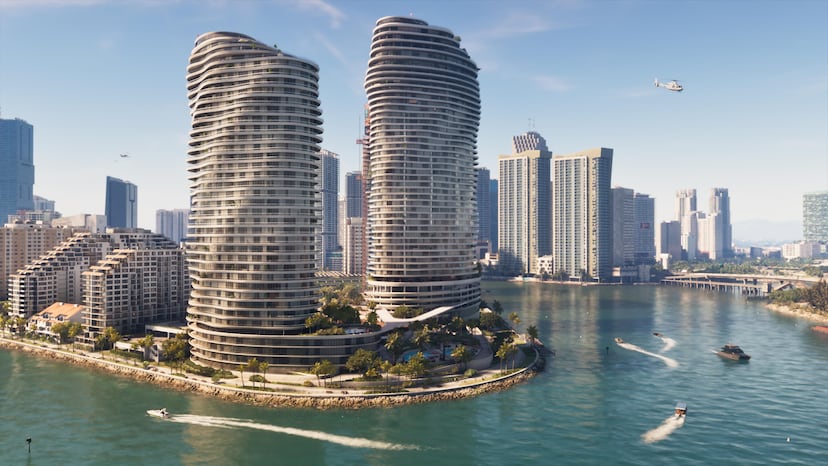
7 days to GTA 6: boxed copies arrive, and Mount Kalaga is where you go hunting
Seven days out. Pre-load has been open since Tuesday, and boxed copies reach shops today. Today's confirmed fact: Mount Kalaga National Park, the forested north of Leonida, where Rockstar lists hunting, fishing and off-roading.
 Nov 11, 2026 · countdown · By Six
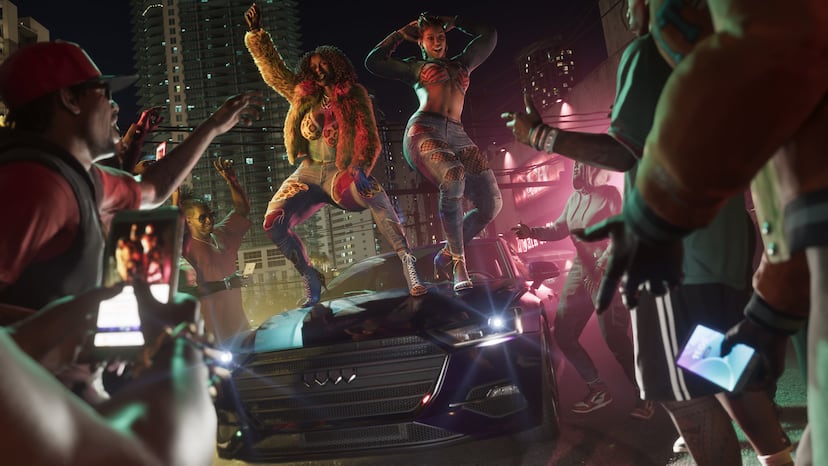
8 days to GTA 6: newer cars need a key cloner, and not every car is yours for the taking
Eight days out. Today's confirmed fact: car theft is tiered in GTA 6. Older cars can be taken directly, newer ones need a key cloner or tools that unlock through the story. Rockstar calls it stratification.
 Nov 10, 2026 · countdown · By Six
9 days to GTA 6: the social feed is a game system, and Jason and Lucia cannot post to Snapmatic
Nine days out. Today's confirmed fact: GTA 6's in-game social platform. NPC posts go viral, livestreamers can catch you on camera, and the returning Snapmatic is off limits to the two fugitives.